Roia Process Animation: the full walkthrough (on white)
The 2 delivered Lottie animations one after another, rendered from the files on this page.
Work
A Lottie walkthrough for the Roia website: a cursor fills in a new user analysis, then the screen builds out a summary, per-user insight areas and key quotes over a dotted grid.
Roia / Website process animation / 2024
My role: UI animation and Lottie export
Delivered: A 20-second walkthrough (1000×1000, 60 fps) as Lottie JSON with an HTML preview, plus three versions of the dotted background grid
Tools: After Effects, Bodymovin/Lottie, Illustrator
Roia needed a process animation for its website: the product's workflow shown as motion instead of a static diagram.
The main scene is one 20-second composition. A touch indicator works through a New User Analysis dialog: it names the analysis, fills three insight areas and presses Create. The screen then moves to a summary, two user breakdowns with their insight areas, and a key-quotes panel. Each stage (input, user summary, summary, user 1, user 2, key quotes) is its own precomp.
Behind it sits a dotted grid. The folder holds three versions of it: two keyed tests that export at 527 KB and 125 KB, and a version built from a single shape layer with a repeater that exports at 1.8 KB.
I delivered the main scene and the three grid versions as Lottie JSON, each with an HTML preview page. The previews below are those files.
The 2 delivered Lottie animations one after another, rendered from the files on this page.
Delivered Lottie file, 1000×1000, 60 fps, 20 s.
1.8 KB Lottie of the background grid.
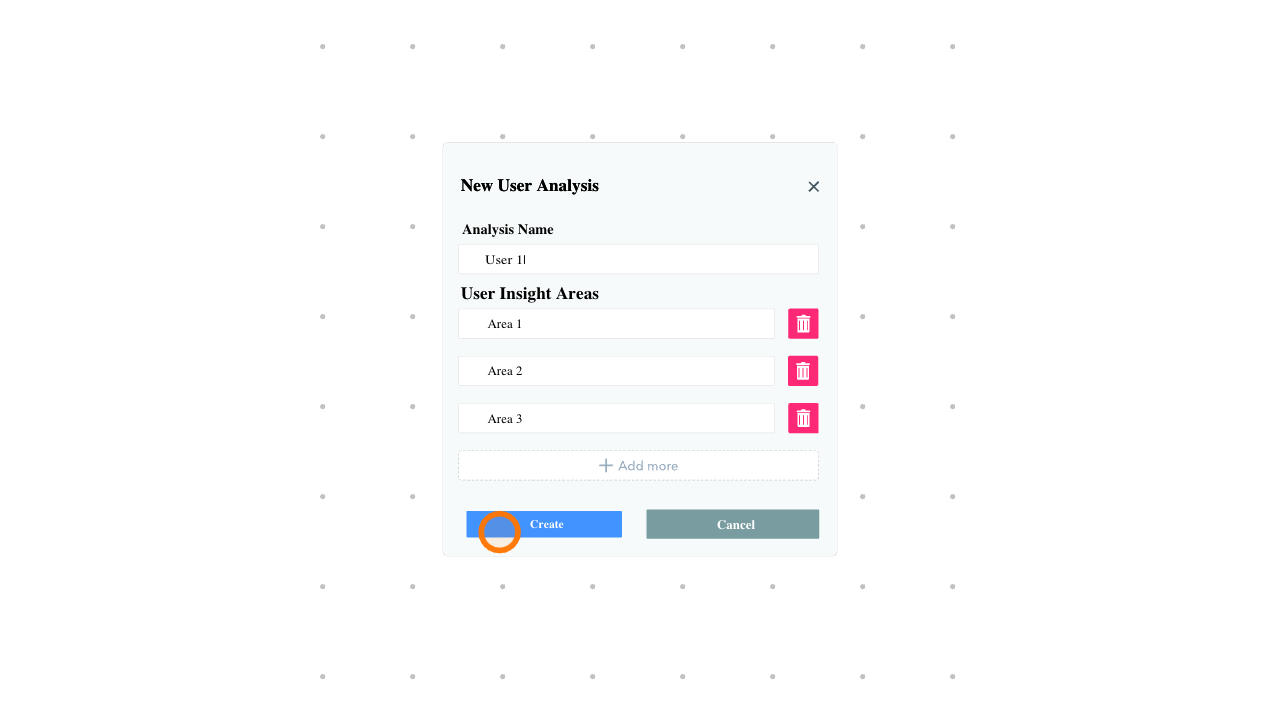
Still from the main scene: the New User Analysis dialog with the touch indicator on Create.
Explore motion design and interactive animation services, or get in touch about your project.